Email remains one of the most essential communication channels for businesses. From transactional notifications to marketing campaigns, reliable email delivery plays a crucial role in maintaining customer relationships and ensuring smooth operations. However, many organizations struggle with emails that never reach the inbox, often landing in spam folders or failing to send altogether.
One of the most common causes of these problems is incorrect SMTP server setting. SMTP (Simple Mail Transfer Protocol) is the standard technology responsible for sending outgoing emails from websites, applications, and email clients. When configured properly, SMTP ensures secure, reliable, and efficient email transmission.
In this comprehensive guide, we will explain how SMTP server settings work, why they matter for businesses, and how proper configuration can improve email deliverability and security.
What Is SMTP Server Setting?
SMTP server setting refers to the configuration parameters that allow an email client or website to send outgoing messages through an SMTP server. SMTP stands for Simple Mail Transfer Protocol, which is the communication standard used by email servers to send messages across the internet.
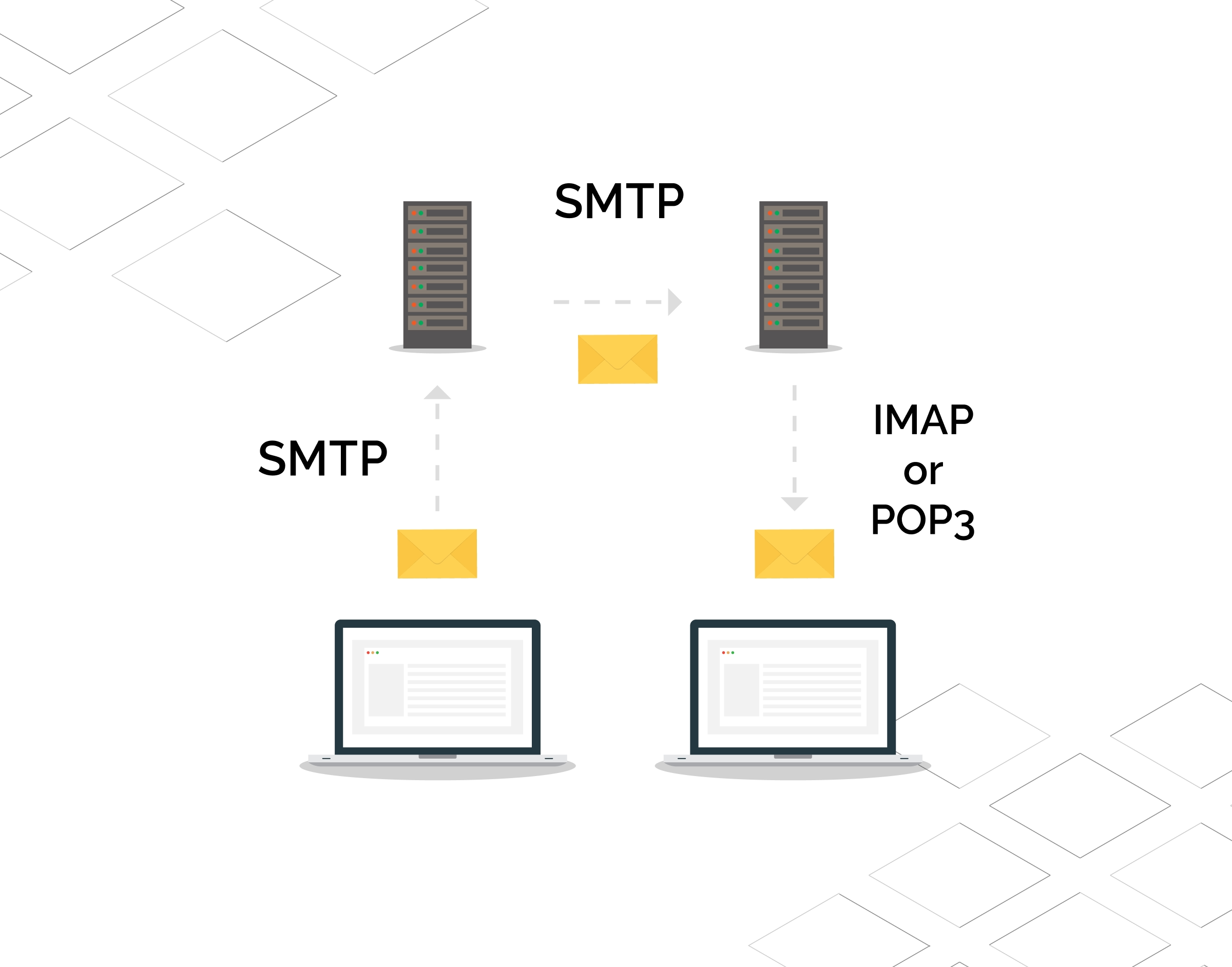
Whenever you send an email from your website, CRM system, or email marketing platform, SMTP handles the process of transferring that message from the sender’s server to the recipient’s email server.
The typical SMTP process works like this:
- The sender creates an email message.
- The message is submitted to an SMTP server.
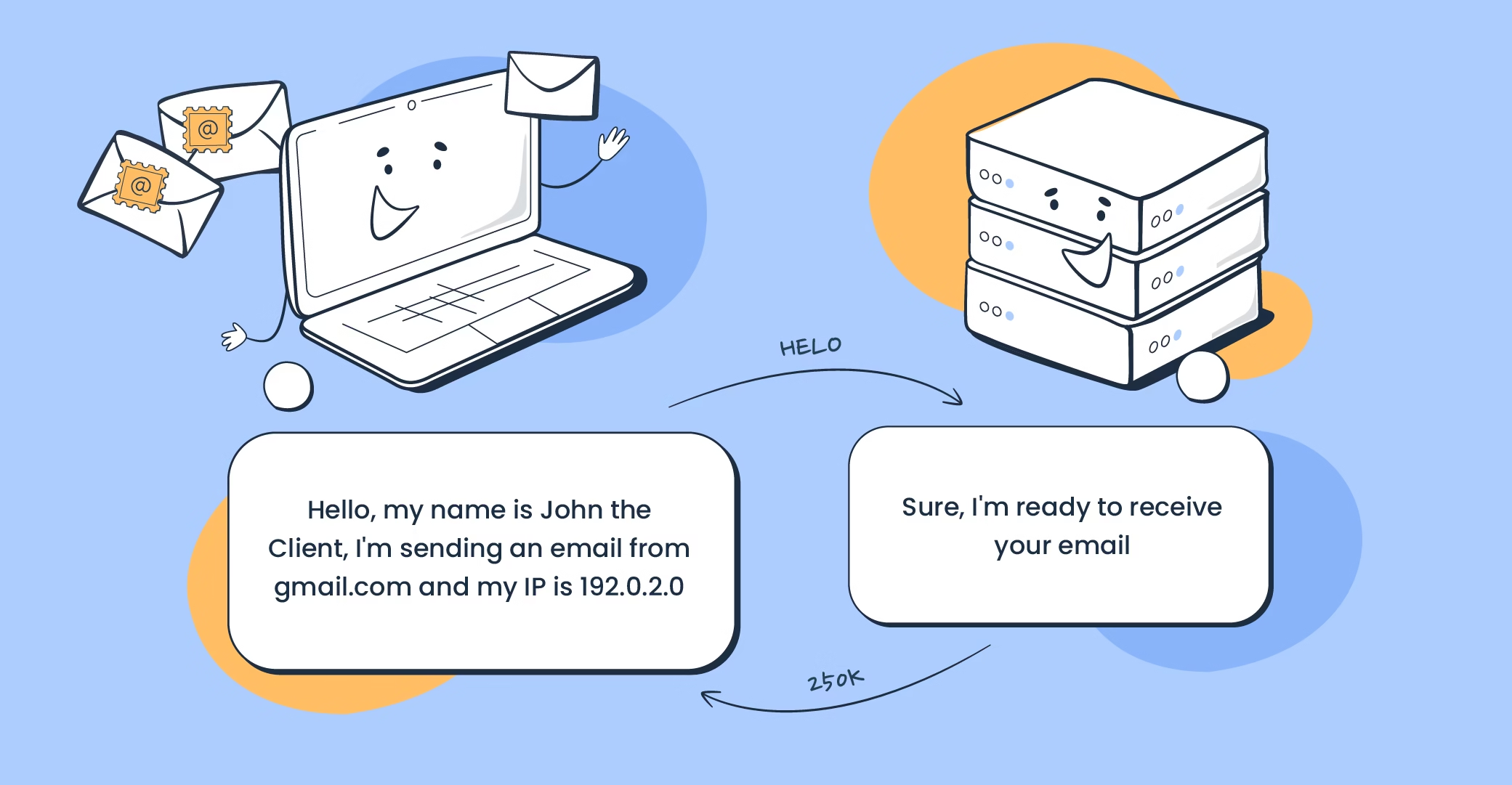
- The SMTP server verifies authentication credentials.
- The server routes the message to the recipient’s mail server.
- The recipient’s server delivers the message to the inbox.
Without properly configured SMTP settings, email messages may fail to send, bounce back, or be flagged as spam.
Businesses that rely on email communication must ensure their SMTP server configuration is optimized for security, reliability, and deliverability.
Why Proper SMTP Configuration Matters for Businesses
Many businesses underestimate the importance of SMTP configuration until they encounter problems such as failed emails or spam filtering. Proper SMTP settings are critical for ensuring that business communications reach their intended recipients.
Improved Email Deliverability
Email providers like Gmail, Outlook, and Yahoo use advanced filtering algorithms to protect users from spam. Proper SMTP configuration—including authentication protocols—helps prove that your messages are legitimate and trustworthy.
Reduced Spam Risk
Incorrect SMTP settings can cause email servers to classify your messages as spam. By implementing secure authentication methods such as SPF, DKIM, and DMARC, you significantly reduce the chances of emails being blocked.
Enhanced Security
SMTP authentication protects your domain from spoofing and phishing attacks. This safeguards your brand reputation and prevents malicious actors from sending fraudulent messages using your domain.
Reliable Website Notifications
Many websites rely on email for critical functions such as:
- Password resets
- Order confirmations
- Contact form submissions
- Appointment notifications
If SMTP settings are not configured properly, these automated emails may fail, negatively impacting user experience.
Essential SMTP Server Settings Explained
SMTP server configuration includes several key parameters that ensure secure communication between email systems.
SMTP Server Address
The SMTP server address is the hostname of the outgoing mail server responsible for sending emails. Examples include:
- smtp.gmail.com
- smtp.office365.com
- mail.yourdomain.com
This address allows your application or email client to connect to the correct mail server.
SMTP Port
SMTP ports define how email clients communicate with the server. The most common ports include:
| Port | Purpose |
|---|---|
| 587 | Recommended for secure email sending (STARTTLS) |
| 465 | Secure SMTP using SSL |
| 25 | Traditional SMTP port, often blocked by ISPs |
Port 587 is generally considered the modern standard for secure email submission.
Encryption Type
Encryption ensures that email communication between servers remains secure. Two primary encryption methods are used:
- TLS (Transport Layer Security) – Recommended modern encryption
- SSL (Secure Sockets Layer) – Older but still widely supported
Using encrypted connections helps protect email data from interception.
Authentication Credentials
SMTP authentication requires a username and password to verify the sender’s identity. This prevents unauthorized users from sending emails through your server.
Most services use:
- Email address as username
- Email account password or API key
Step-by-Step SMTP Server Setup
Setting up SMTP correctly ensures reliable email transmission. Below is a simplified process for configuring SMTP on a website or application.
Step 1: Choose an SMTP Provider
Businesses typically use one of the following SMTP services:
- Email hosting providers
- Dedicated SMTP platforms
- Cloud-based email delivery services
Choosing a reliable SMTP provider improves email deliverability and scalability.
Step 2: Configure SMTP Server Details
Enter the SMTP server hostname and port in your application or email client. These details are usually provided by your hosting or email service provider.
Example configuration:
Server: smtp.yourdomain.com
Port: 587
Encryption: TLS
Authentication: Enabled
Step 3: Enable SMTP Authentication
Enable authentication and provide your login credentials. This ensures that only authorized users can send emails through your server.
Step 4: Configure DNS Authentication Records
To improve deliverability and prevent spoofing, add the following DNS records:
- SPF record
- DKIM record
- DMARC policy
These records verify the authenticity of emails sent from your domain.
Step 5: Test Email Delivery
After configuring SMTP, send test emails to verify the setup. Check whether the emails reach inboxes without triggering spam filters.
Step 6: Monitor Logs and Feedback
SMTP logs provide valuable insights into email delivery performance. Monitoring logs helps detect issues such as authentication errors or blocked emails.
SMTP Security and Authentication
Security plays a critical role in modern email communication. Without proper authentication, attackers could exploit your domain to send fraudulent emails.
SPF (Sender Policy Framework)
SPF records specify which servers are authorized to send emails from your domain. When an email server receives a message, it checks the SPF record to verify that the sending server is legitimate.
DKIM (DomainKeys Identified Mail)
DKIM adds a cryptographic signature to outgoing emails. This signature confirms that the email content has not been altered during transmission.
DMARC (Domain-based Message Authentication)
DMARC builds on SPF and DKIM to enforce email authentication policies. It allows domain owners to instruct email providers on how to handle suspicious messages.
Together, these protocols create a powerful defense against email fraud and phishing attacks.
Common SMTP Problems and How to Fix Them
Even with proper configuration, businesses may occasionally encounter SMTP-related issues. Understanding these problems helps ensure quick troubleshooting.
Emails Going to Spam
Possible causes:
- Missing authentication records
- Poor sender reputation
- High complaint rates
Solution:
Ensure SPF, DKIM, and DMARC records are correctly configured and monitor email engagement metrics.
SMTP Authentication Errors
This issue occurs when login credentials are incorrect or authentication is disabled.
Solution:
Verify username, password, and SMTP authentication settings.
Blocked SMTP Ports
Some internet service providers block port 25 to prevent spam.
Solution:
Switch to port 587 or 465 for secure email transmission.
High Bounce Rates
Bounces occur when emails cannot be delivered to the recipient’s server.
Solution:
Maintain a clean email list and remove invalid addresses.
SMTP for Websites and Applications
SMTP configuration is especially important for websites and online platforms that rely on automated email notifications.
Common use cases include:
- Contact form submissions
- Password recovery emails
- Ecommerce order confirmations
- Account verification messages
- Marketing email campaigns
Many website platforms—including WordPress—require SMTP configuration to ensure reliable email delivery. Default PHP mail functions often fail due to strict spam filters.
Using SMTP ensures that website-generated emails are authenticated and properly delivered.
When Businesses Should Use Professional SMTP Setup
While basic SMTP configuration may appear simple, achieving high email deliverability often requires expert knowledge of server configuration, DNS records, and email reputation management.
Professional SMTP setup services can help businesses:
- Configure secure authentication protocols
- Improve inbox placement
- Reduce spam filtering
- Monitor email deliverability
- Manage bounce handling and feedback loops
Partnering with a professional digital agency can ensure that your email infrastructure is optimized for reliability and security. Working with a trusted top web digital agency allows businesses to focus on growth while experts handle technical email configuration and optimization.
Best Practices for SMTP Server Settings
To maintain reliable email delivery, follow these proven best practices.
Use Secure Ports and Encryption
Always use encrypted connections such as TLS with port 587.
Implement Email Authentication
Ensure SPF, DKIM, and DMARC are properly configured.
Monitor Sender Reputation
Track bounce rates, spam complaints, and engagement metrics.
Avoid Sending Spam-Like Content
Emails containing suspicious keywords or excessive promotional content may trigger spam filters.
Maintain a Clean Email List
Regularly remove inactive or invalid email addresses to maintain a strong sender reputation.
The Future of Email Deliverability
Email security standards continue to evolve as providers implement stricter spam filtering policies. Major email platforms now require strong authentication and domain verification to prevent abuse.
Businesses that proactively optimize their SMTP server settings will benefit from:
- Higher inbox placement rates
- Improved marketing performance
- Stronger customer trust
- Better communication reliability
As email remains a critical part of digital communication, investing in proper SMTP configuration will continue to be essential for long-term business success.
Conclusion
Proper SMTP server setting is the foundation of reliable email communication. Without correct configuration, businesses risk losing important messages, damaging their sender reputation, and missing valuable opportunities to engage with customers.
By understanding SMTP server configuration, implementing authentication protocols, and monitoring deliverability performance, businesses can ensure that their emails reach recipients consistently and securely.
Whether you manage a website, run marketing campaigns, or rely on automated email notifications, optimizing your SMTP settings is essential for maintaining professional communication and protecting your brand reputation.
If you want to guarantee secure, reliable email delivery for your website or business systems, working with experienced professionals can make a significant difference. Expert SMTP configuration ensures your email infrastructure is optimized for performance, security, and long-term success.